

• Bike
  • Bike+
  • Tread
  • Tread+
  • Row
  • App

Your AirPods Pro 3 on the Peloton Bike, Tread, and Row

No chest strap, no extra wearable — just the AirPods Pro 3 you're already wearing for class audio. Strive Score and the HR-zone bar work the same as with the Heart Rate Band.

Download on the App Store

Free 7-day trial, then $5.99/year

Peloton

Yes — Your Peloton Can Read Your AirPods

Every current Peloton — Bike, Bike+, Tread, Tread+, Row — pairs with standard Bluetooth heart-rate monitors. AirHRM shows up as one, using the signal already inside Apple Health from your AirPods Pro. Setup takes about a minute.

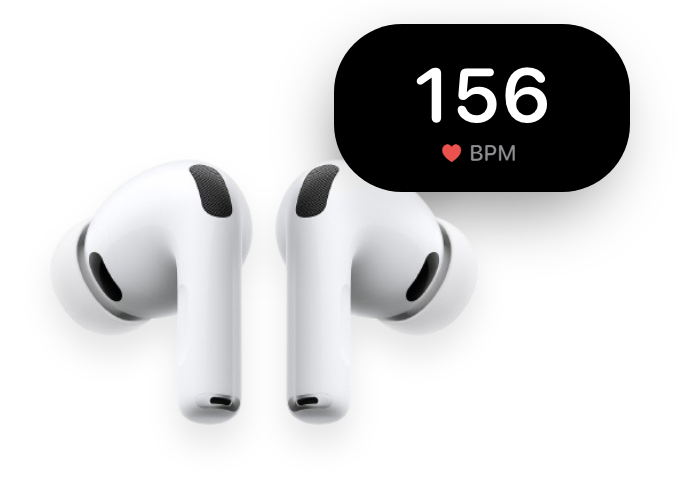
AirPods Pro alongside a live heart-rate reading in BPM

Peloton Can't See Your AirPods on Its Own

If you wear AirPods Pro 3 for class audio, you already have accurate heart rate in your ears — Apple's first in-ear sensor. The catch: Apple deliberately stripped the standard Bluetooth heart-rate broadcast from the buds, so the Peloton touchscreen can't see them the way it sees a chest strap or PowerBeats Pro 2.

The AirPods Pro 3 are NOT sending out a standard Bluetooth heart rate signal. This is important for areas like a Peloton Bike, which can pair with the heart rate of the PowerBeats Pro 2, but not the AirPods Pro 3.

DC Rainmaker

Peloton's own iOS app gets your heart rate through HealthKit, but only on the phone — not on the Bike+ tablet, not on the leaderboard's HR-zone bar, not into Strive Score on hardware. The status-quo answer has been: buy the Peloton Heart Rate Band, swap to a chest strap, or wear an Apple Watch.

How AirHRM Works

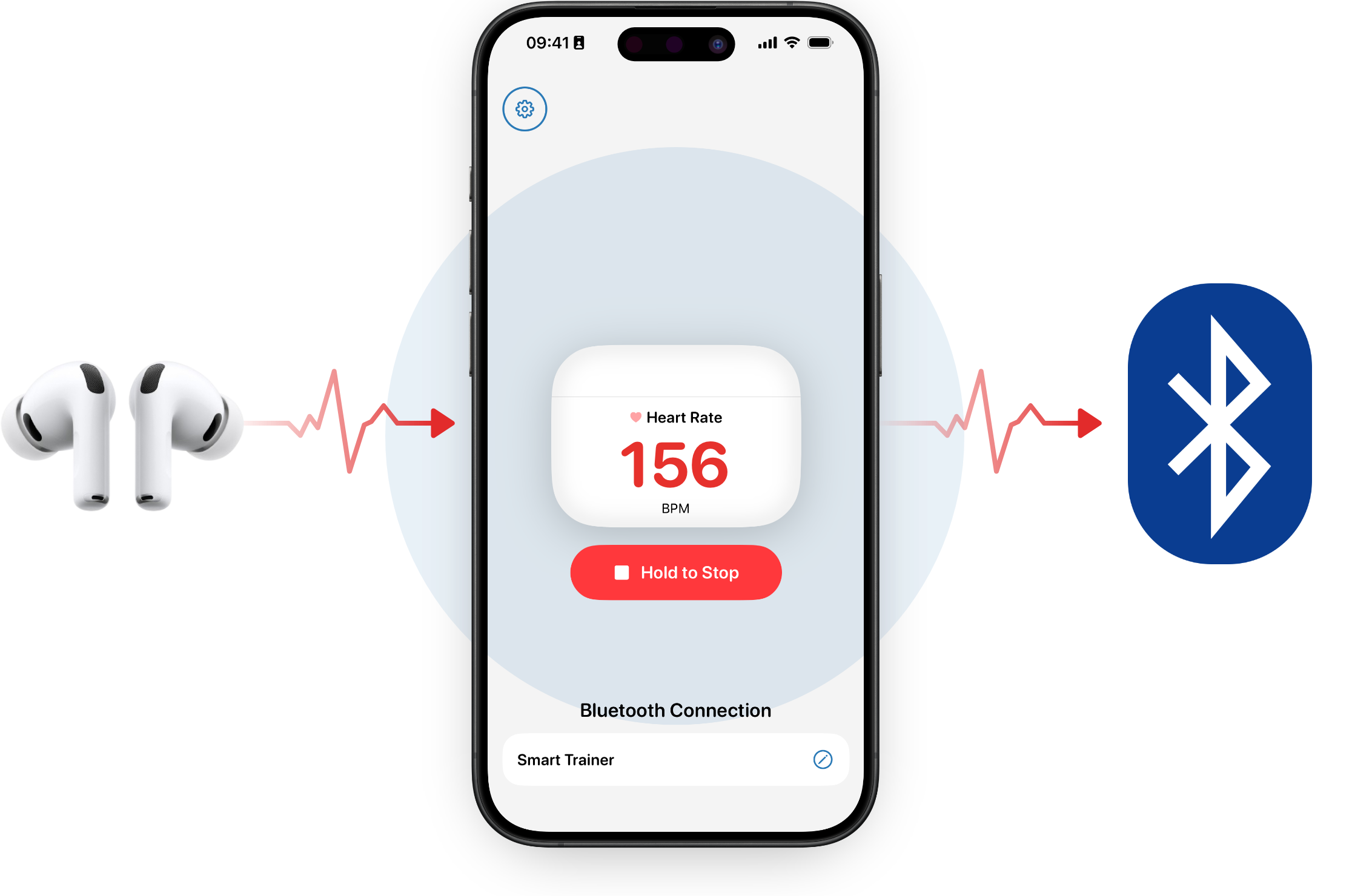
AirPods Pro share heart rate with Apple Health on iPhone; AirHRM rebroadcasts it over Bluetooth Low Energy to the Peloton touchscreen

AirHRM reads heart rate from your AirPods Pro through Apple Health and rebroadcasts it over Bluetooth as a standard heart-rate sensor. Your Peloton touchscreen sees a device named AirHRM and pairs with it — exactly like a chest belt. No new hardware, no extra account, no analytics layer between you and the data.

Why the AirPods Pro

Ears Beat Wrists in Class

Wrist sensors take a hit whenever your forearm contracts — gripping the handlebars on a hard climb, holding dumbbells in Bootcamp, white-knuckling the Row handle on a 500m piece. Optical readers can mistake muscle tension for blood flow. AirPods sit in your ear canal, unaffected by what your hands are doing.
Glance-able

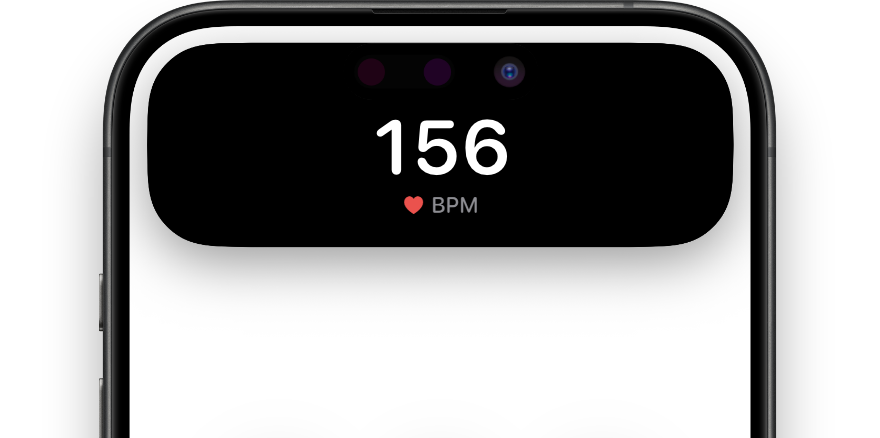
Live BPM on the Lock Screen and Dynamic Island

Once a session is running, your live heart rate also shows on the iPhone's Lock Screen. On iPhone 14 Pro or later, it also appears in the Dynamic Island.

Live heart rate showing in the iPhone Dynamic Island during an active AirHRM session

What You'll Need

  • AirPods Pro 3 — Apple's first AirPods with an in-ear heart-rate sensor
  • iPhone with iOS 26 or later, within Bluetooth range of the touchscreen
  • AirHRM installed on your iPhone (download here)
  • A Peloton Bike, Bike+, Tread, Tread+, or Row — the setup flow is identical on every one
  • Or, instead of Peloton hardware: the Peloton App on iPad or Fire TV (not on the iPhone running AirHRM — see the compatibility section below)

Setup

Set It Up

  1. 1

    Open AirHRM, insert your AirPods Pro (already connected to the iPhone), and tap Start. The HealthKit session begins and your iPhone starts broadcasting heart rate over Bluetooth.

  2. 2

    On the Peloton touchscreen, tap the time in the top right corner, then select Heart Rate Monitor. The Set Up Heart Rate Monitor screen opens.

  3. 3

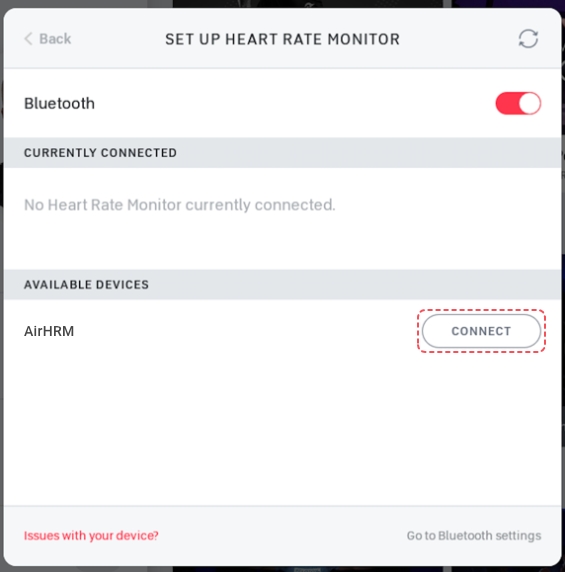
    Find AirHRM in the list and tap Connect next to it. If AirHRM isn't on the list, tap the refresh button in the top right of the screen. If Peloton asks to pair with your iPhone, tap Cancel — AirHRM connects without pairing.

    Peloton Set Up Heart Rate Monitor screen showing AirHRM in the list with a Connect button
  4. 4

    Join any class. Your heart rate appears in the top left corner of your touchscreen, and the HR-zone color bar shows up on the Here Now leaderboard.

  5. 5

    Train. Lock or pocket the iPhone — AirHRM keeps broadcasting in the background until you tap Stop. Strive Score, zone classes, and post-class metrics all work the same way they do with the Heart Rate Band.

Bike+ owners: ignore the GymKit tap-to-pair prompt near the bike's camera — that flow is for Apple Watch. Use the standard flow above.

Peloton App on iPad / Fire TV: start any class, tap the heart-rate-monitor icon on the play screen, then tap AirHRM in the list. Same flow, different screen.

Will It Work with My Peloton?

Bike, Bike+, Tread, Tread+, and Row all use the same Heart Rate Monitor pairing flow — the setup, the menu, and the connection are identical across every current Peloton. The Peloton App on iPad or Fire TV pairs the same way.

Works

Every current Peloton

Yes — Bike, Bike+, Tread, Tread+, Row, and the Peloton App on iPad or Fire TV all pair with AirHRM the same way they pair with a Heart Rate Band or chest strap.

Not compatible

Peloton App on the same iPhone

AirHRM broadcasts heart rate out of your iPhone over Bluetooth, so a separate device has to receive it. Another app on the same iPhone can't pick up the broadcast — use the Peloton App on iPad or Fire TV instead, or use your Peloton's touchscreen.

How Accurate Is It?

AirPods Pro 3 heart rate has been independently reviewed as very accurate — close to a chest belt across steady-state and zone work, with the usual optical-sensor lag during sharp spikes. Ear-canal placement also sidesteps the wrist-motion problem that breaks watches in Bootcamp and on the Row.

Apple has managed to do something that really nobody else has: produce a pretty solid heart-rate sensing device in your ears. It's not absolutely perfect, but it's really strong.

DC Rainmaker

It's not flawless, though. Honest caveats:

  • Ear-tip fit matters. The correct tip for acoustic seal may be different from the best tip for heart-rate accuracy.
  • Cold ears, ear piercings, or earwax can degrade the reading — Apple lists these explicitly.
  • Sharp HR spikes (a 30-second all-out, an FTP test) can lag a chest strap by a few seconds. Power Zone riders doing VO2 max work may still prefer a chest strap for those efforts.
  • Heart-rate sensing shortens AirPods Pro 3 battery life. Apple specs: up to 6.5 hours of listening with HR sensing active (vs. 8 hours without). A 45-minute class is no problem.

For the daily rides, the Tread runs, the Row warm-ups, and the Bootcamp and Strength classes where Strive Score is the whole point — AirPods are honest training data.

Ready to Leave the Strap at Home?

Accurate heart rate from the AirPods you're already wearing, on the Peloton you already use. Start the 7-day trial — cancel before it ends and you won't be charged.

7-day free trial
$5.99 / year

after your trial ends

Less than a 3-pack of batteries.

Download on the App Store

Cancel before the trial ends and you won't be charged.

Frequently Asked Questions

Does Strive Score still work?

Yes. Peloton calculates Strive Score from any connected Bluetooth heart-rate monitor — Heart Rate Band, chest strap, AirHRM, all the same. As soon as AirHRM is paired, Strive Score shows up in the corner and the HR-zone color bar appears on the leaderboard.

Does it show up on the leaderboard's HR-zone bar?

Yes. The zone color bar (red / orange / yellow / green / blue) is driven entirely by the connected HR source. With AirHRM paired, your bar fills in like anyone else's on Here Now and All Time.

Does the iPhone have to stay on the whole time?

It needs to stay running, but it can be locked. AirHRM broadcasts in the background once the touchscreen has connected. Park the phone in the Bike's tablet tray, the Tread's media tray, or anywhere in Bluetooth range — locked screen, no problem.

I have an Apple Watch — do I need AirHRM?

Probably not. Peloton's One-Tap companion app on Apple Watch works across Bike, Bike+, Tread, Tread+, and Row. AirHRM is for AirPods-only users who don't want to wear a watch or a strap.

Does it work on the in-studio Bikes and Treads?

Yes. The in-studio touchscreens accept standard Bluetooth HR monitors the same way the at-home ones do. Use the time-tap flow above.

Why a subscription?

Purpose-built, no ads, no data harvesting, one developer who reads every email. Free for seven days; cancel before the trial ends and you won't be charged.

Does it work with AirPods Pro 2 or older AirPods?

No. Only AirPods Pro 3 currently have an in-ear heart-rate sensor — earlier AirPods (including Pro 2) can't measure heart rate at all, so AirHRM has no signal to rebroadcast. If Apple adds heart-rate sensing to later AirPods, AirHRM will pick them up automatically through Apple Health.